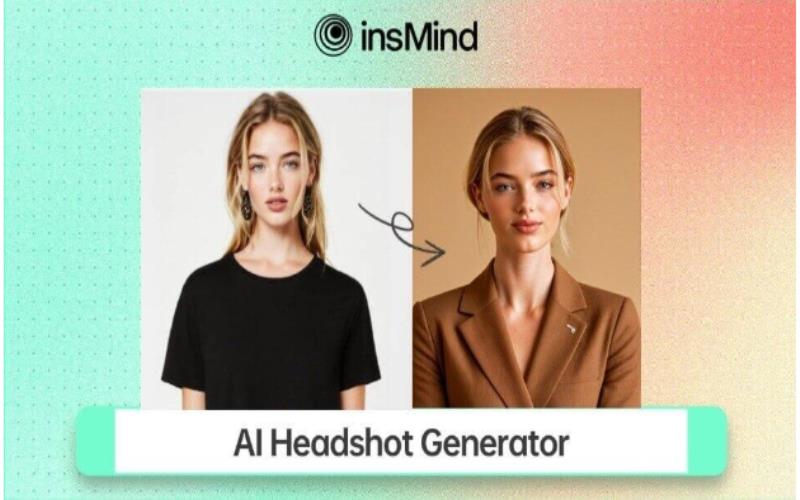
For a professional headshot, an accurate and sharp image is essential, but getting formal headshots can feel hectic. With limited time and a comparatively small budget, you may wonder how you’ll deal with the task. If you are in such a situation, using an AI headshot generator becomes a worth-considering option. Thus, to cater to this, we’ll uncover how to create a professional headshot using an AI-powered toolkit, insMind.
Part 1. The Most Powerful AI Headshot Generator of 2025
This toolbox features an advanced AI headshot generator that is designed to offer studio-quality images with innovative features such as outfits, shapes, or sketches. It automates the headshot design process and allows you to create a captivating picture with diverse styles and scenarios. Besides, you can generate an ultra-HD version of your headshot for improved clarity.
In addition, this AI headshot creator is ideal for producing portraits for your LinkedIn, Fiverr, and more in a few seconds. Moreover, if you want a corporate or creative picture, you can choose various styles, backgrounds, and clothes. For further tailoring, it offers entertaining avatars with multiple filters like anime, 3D, and more to create professional and captivating headshots.
Part 2. How to Create a Professional and Eye-Catchy Headshot Using AI
Go through this straightforward manual to learn how to create a headshot for your social media or business profile with this tested AI headshot maker:
Step 1. Explore AI Headshot Generator
To initiate the procedure, open the insMind AI Headshot Generator using your third-party or built-in browser and hit the “Upload a Photo” button to explore various headshot styles.
Step 2. Upload Your Picture and Decide the Style
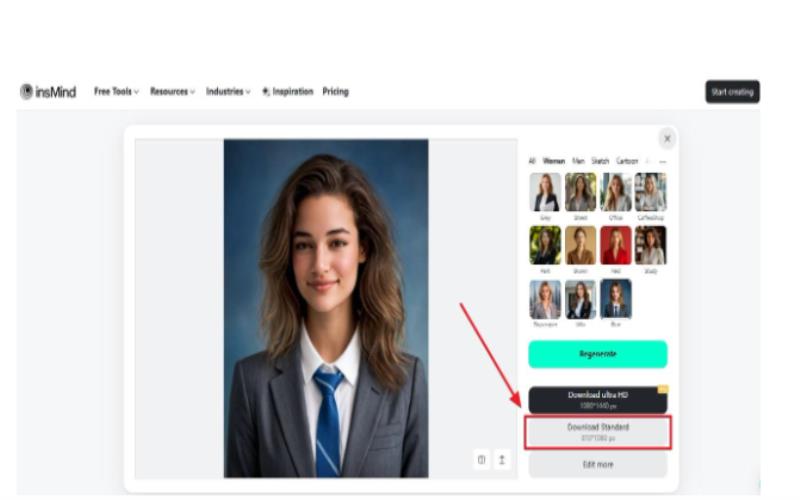
After uploading your picture, choose the desired headshot style from the right-side panel. We offer a variety of filters, such as anime, sketch, line art, and more.Here, you need to hit the “Generate” button to initiate the headshot generation process.
Step 3. Export the AI-Generated Headshot
Once the AI headshot is created, move the cursor and press the “Download Standard” button to save the headshot. You can also download the Ultra HD version of your AI headshot if you are using its Pro version.
Part 3. What insMind’s AI Headshot Generator Can Benefit You
Now that you’ve learned the guidelines for using an AI headshot generator to create attractive pictures, here are a few points that distinguish insMind from other headshot generators:
- Captivating Profile Pictures: With this AI-powered toolbox, you can create a polished, business-ready, free AI headshot that enhances your profile’s credibility and professional presence.
- Resumes & Job Applications: The profiles with professional headshots are 21 times more likely to be viewed and get more connection requests on social media.
- Business Websites & Personal Branding: An entrepreneur and freelancer can use AI headshots for marketing to create a polished and approachable brand image.
- Offers Comparing Tool: Once the tool creates the AI headshot, users can compare the results to determine the quality of the outcome.
Part 4. Explore 4 More Powerful insMind AI Features | Enhance Your Experience
While this AI headshot generator is perfect for producing high-quality headshots, this toolkit offers even more tools to shine your creative projects. Let’s explore some other powerful AI features you can use to enhance your images.
AI Avatar Maker
Users can use a variety of avatars, such as cartoon characters, 3D models, or anime figures, to showcase creativity and individuality. This app offers headshot avatars for various purposes, like polishing business-style avatars, playful cartoon looks, or vibrant 3D designs.
Profile Picture Maker
It offers a variety of templates and shapes for creating a profile picture for WhatsApp, a gaming account, or for your CV. Plus, it helps you to remove the background, change the color, or turn your picture into different shapes.
AI Character Generator
This AI headshot creator can transform photos into visually outstanding characters for writers, artists, and game developers. A digital artist, game designer, or storyteller can choose limitless AI character styles, anime, 3D sketches, or comics.
AI Filter
With the help of this robust AI headshot maker, you can transform photos into comical and artistic work using unique filters. Moreover, a designer can choose different filters like woodcut, clay figure, or Disney for their photos.
Wrapping Up
To sum up, AI headshot generators are revolutionizing professional image creation, making it easier and more affordable to present yourself professionally. Whether you’re applying for jobs, building a personal brand, or exploring creative opportunities, this free AI headshot generator offers a versatile solution. With insMind, you can create headshots that leave a lasting impression while staying ahead in today’s competitive job market.